
For two friends, partners or gym buddies
Keep each other going.
Pick your own goals for food, steps or workouts. Your person sees that you showed up, you see how their day is going, and nobody shares a food diary.
Free · iPhone and iPad · 18+

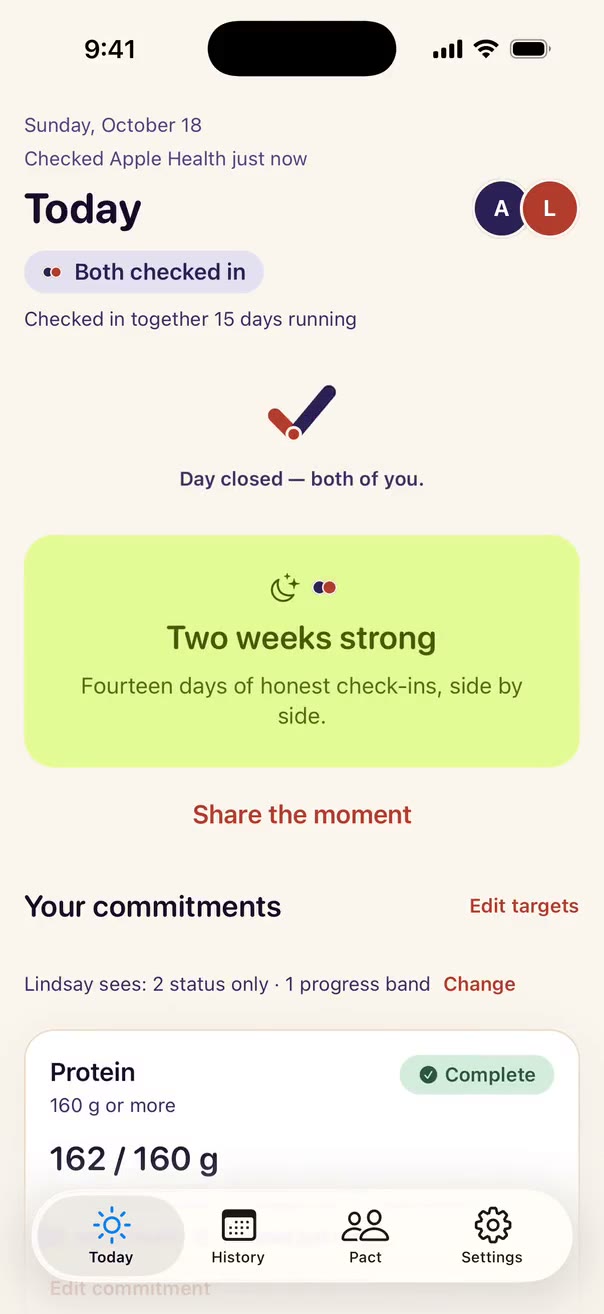
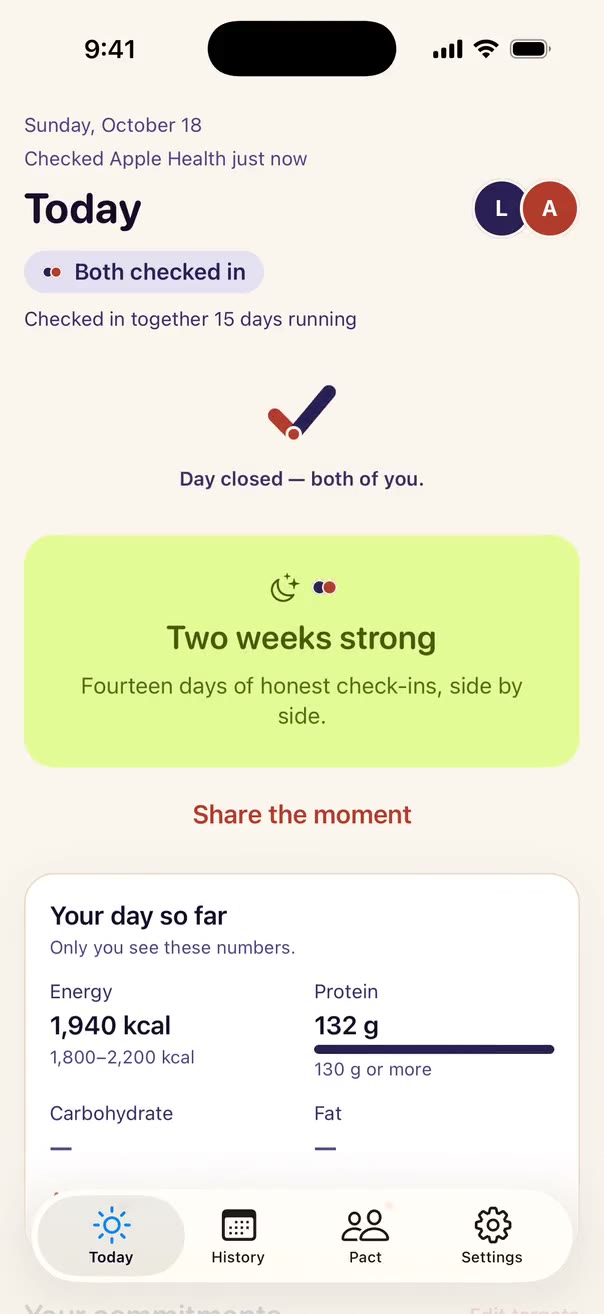
The same moment
When you’ve both checked in, the day closes for the two of you.
Your phone and theirs. Sample data.

Sound familiar?
Keeping up by text takes effort.
Give your daily check-ins a place of their own. See the updates your person chooses to share, and send a little encouragement.
Send a little support
Give them a little nudge.
The nice kind.
Tap once to send a kind note from a short list. They answer with one word. No chat thread, no pressure, no “so… did you?”
Up to three a day, never during your quiet hours, and you can mute them any time. More about notes
You pick a kind note. Nothing to write, nothing that sounds like nagging.
Sample people and data. Replies you can send: Seen, On it, Done, Tomorrow, Thanks.
On your Home Screen and Lock Screen
See how they’re doing
without opening a thing.
Catch a shared update on your Lock Screen or Home Screen. Open the app for the latest day; iOS decides when widgets refresh. Tap a time to explore this example.
8:10 AM: Today is still open for both of you. You · 0 of 3 checked in.
It only says whether you’re on track. Never your numbers, never what you ate.
Your day together
Your day and theirs,
side by side.
- You’re done · Lindsay has 1 openLast 14 days
Your day is in. One more and you both close it.
Sample data: fourteen days, with a dot for each day each of you checked in.
Every day you both show up gets a dot.
Today gets a little ring. Missed one? It’s just a gap, and nothing you earned goes away.
Notes that day · Sunday, October 18
You: “I’m closing out my day—want to check in too?”
Them: “Done”
Look back together.
Review shared check-ins and available recent notes on a wide screen.
A month of you two
in 15 days
Your next milestone, counting down.
Milestones belong to both of you, and you can see the next one coming.
Made for the big screen too
Unfold it.
There’s room for you both.
Folded, it’s a phone. Unfold it and there’s room for you both.

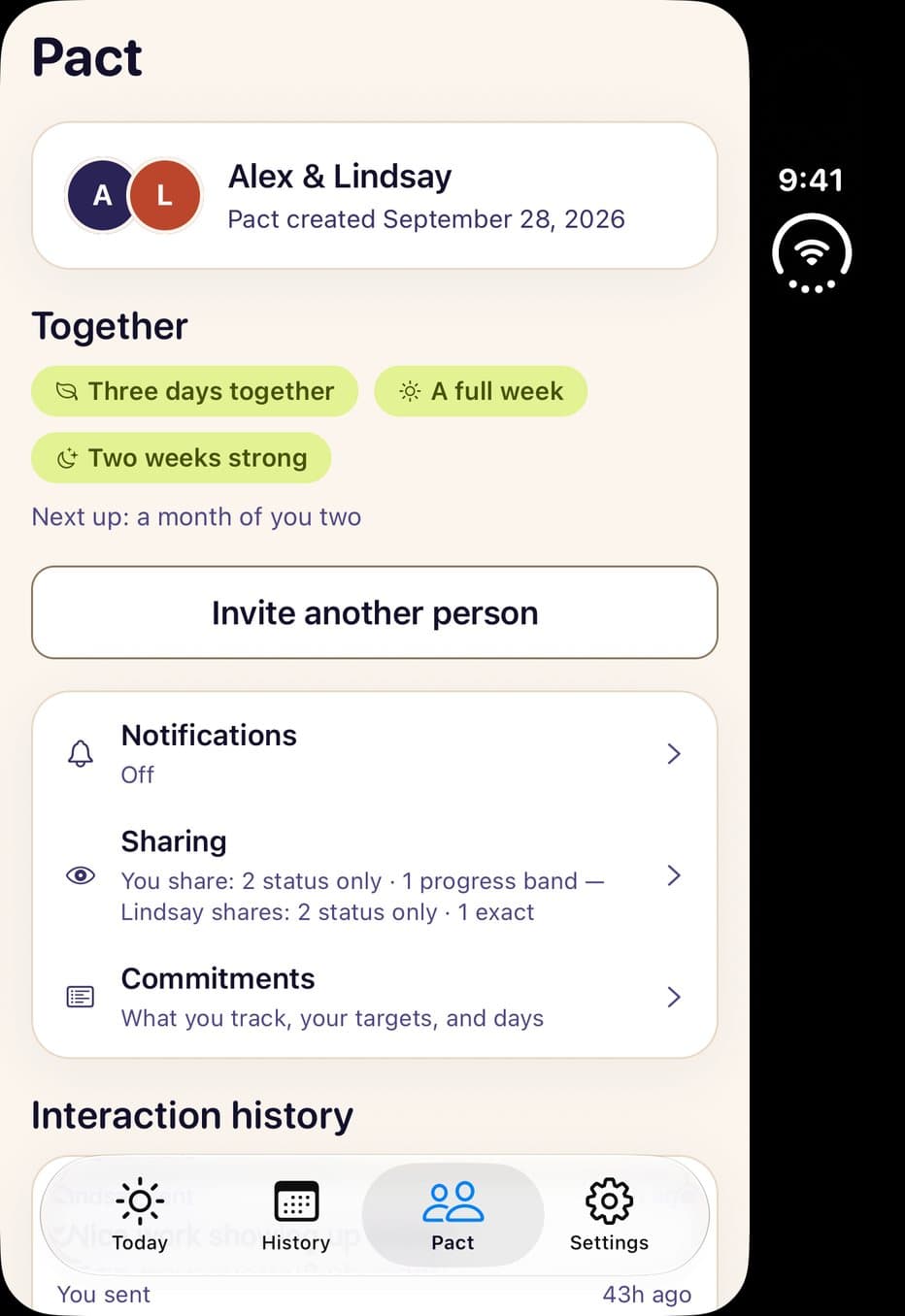
History, Pact and the cover display are captures of the app; sample people and data.
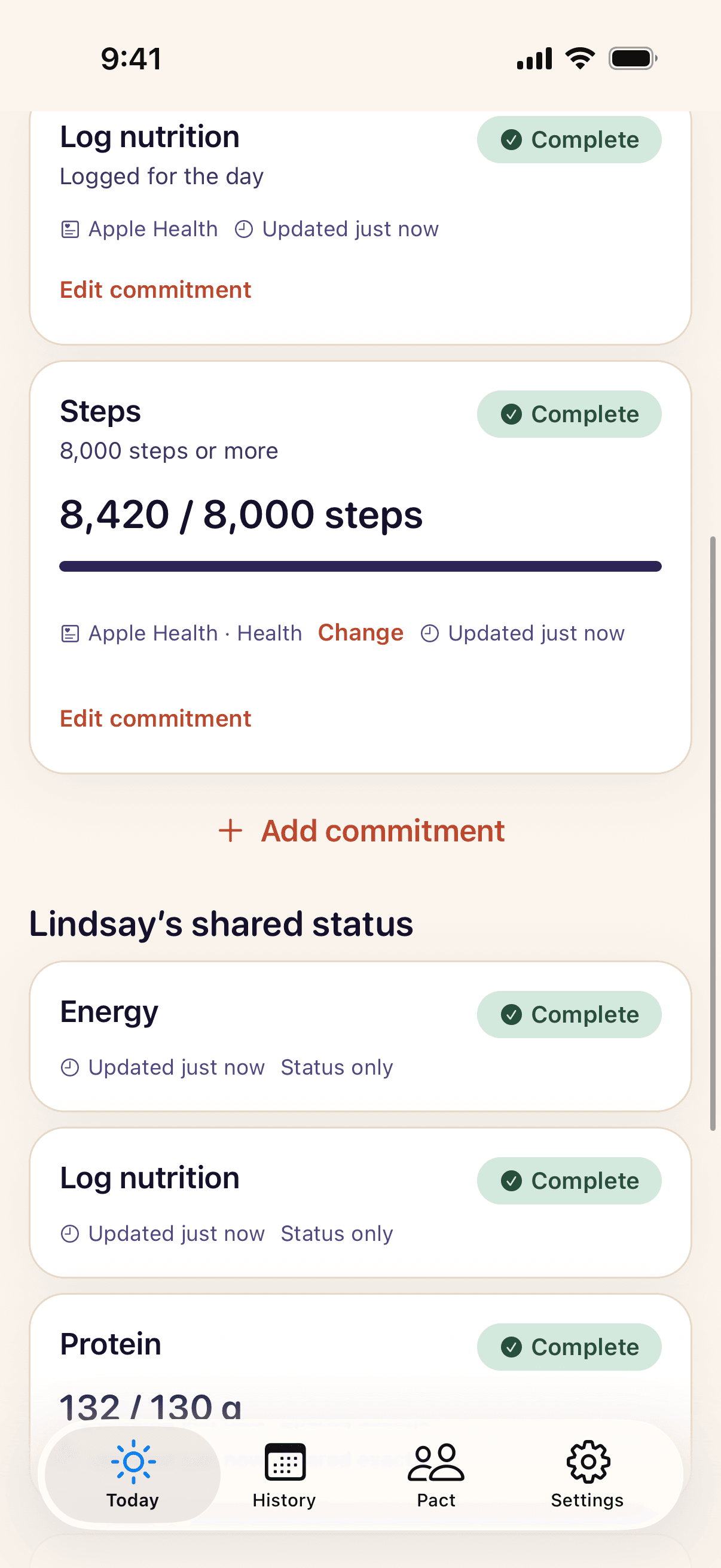
Steps right next to your food goals. Sample data.
How it works
Food, steps, workouts.
Whatever you two are working on.
Food
Steps
Workouts


Keep the app you already use.
Daypair reads your day from Apple Health, only the things you pick. Nothing to log twice.
Pick your own goals.
You set the numbers. Not a tracker? Check in by hand. It counts the same.
Invite your person.
Send a link. When you’ve both checked in, the day wraps up for the two of you.
- Protein
- Calories
- Steps
- Workout minutes
- Active calories
- Water
- Check in by hand
Daypair Pro
Take it to the
group chat.
Add workout, exercise-minute and active-calorie goals to your own routine. Or bring up to four of you into one pact: one Pro host, and guests join free.
- Every goal you trackFree keeps 3
- Up to four people in one pactOnly the host pays
- A whole year of history365 days, not 14
- A weekly recapRight in History
Try Pro free for 7 days on the yearly plan, right in the app.
Who it’s for
Made for you and your person.
Or your whole crew.
Couples
Different goals, same kitchen.
Friends
Near or far, one quick check-in a day.
Gym buddies
For the five days you don’t lift together.
The group chat
Up to four of you with Pro. Only the host pays.



Grab your person
and start today.
Free to download. You both get the app, one of you sends the invite, and your first day together starts right away.
Free · iPhone and iPad · 18+
Things people ask us
Something missing? A real person reads every message.
When can I download it?
Daypair is available now on the App Store for iPhone and iPad. It’s free to download, and Pro is an optional subscription.
Is it on Android?
Not yet. Daypair is available on iPhone and iPad. Each person needs their own account on a supported iPhone or iPad. Apple Health goals need data available on that device; you can check in by hand instead.
Do I have to leave MacroFactor, or whatever I log in today?
No. Keep logging where you already do. Daypair reads the daily totals your app saves to Apple Health. There’s no food logging in Daypair at all.
Can my teammate see everything I eat?
No. They never see your food diary, your meal names or which apps you use. Nothing is shared until you choose a person and a goal. Then they see a simple check mark, unless you pick a rough range or the exact number for that goal. You can change it or pause it any time.
What is free, and what does Daypair Pro add?
Free gets you and your person going: 3 goals, like calories, protein or steps, plus checking in by hand, one pact, every sharing choice, milestones, 14 days of history and every privacy control. Daypair Pro is a monthly or yearly App Store subscription, and the yearly plan starts with a 7-day free trial. Pro takes the limit off your goals and adds workout, exercise-minute and active-calorie goals, 365 days of history and a weekly recap. It also lets you host a pact of up to four people, and joining one is free. Prices are shown in the app in your currency.
What happens if I want out?
Pausing sharing, leaving a pact, blocking someone and deleting your account are all in the app and always free. Stopping sharing removes server access immediately. A screen or widget can still show an earlier update until it refreshes. Information already seen, including screenshots, cannot be taken back.
More questions (11)Fewer questions
What is Daypair?
Daypair is an app that helps two people keep each other going on their food and fitness goals. Each of you sets your own goals, like protein, calories, steps or workout minutes. Daypair picks up your day from Apple Health, and you both see whether the other is on track. You can bring up to four people into one pact with Pro. It isn’t a food logger, and it never tells you what your goals should be.
Is it just for food, or can we track workouts too?
Both. Alongside protein, calories, carbs, fat, fiber, water and “I logged today”, you can set a goal for steps, and with Pro, for workout days, workout minutes (your Exercise ring) and active calories. Those come from your iPhone or Apple Watch through Apple Health. If you’d rather not track at all, you can check in by hand. On the free plan you keep 3 goals going at once, and checking in never uses one up. Pro has no limit.
What is a pact?
A pact is you and your person, or up to four of you when someone with Pro hosts. Each of you sets your own goals, and nobody can set or change anyone else’s. Once you’ve both checked in, the day wraps up. Milestones belong to everyone in the pact, and nobody keeps score.
How does Apple Health fit in?
Daypair doesn’t connect to your food app directly. Your food app saves daily totals to Apple Health, and Daypair reads only the ones you allow. For food, you pick one app to count, so nothing gets counted twice. For steps and workouts, it uses the same total the Health app shows you. The detail stays on your iPhone. Only each day’s totals leave it, never single entries or meal names.
Which nutrition apps have been tested?
None is listed as supported yet. We’re testing MacroFactor first. Other apps that save daily nutrition totals to Apple Health may work, but we haven’t tried them. We only call an app supported after it passes on a real iPhone. Daypair isn’t affiliated with or endorsed by any nutrition app.
What changed in version 1.0.5?
Since version 1.0.5, joining a pact doesn’t share your goals. You choose each person and goal before sharing with them, and how much each of them sees.
Does Daypair set my calorie or macro targets?
No. You choose your own goals, using the targets you already have. Daypair doesn’t give nutrition targets, medical advice, diagnosis or treatment.
Does it work on iPad, and is there a widget?
Yes. The current release includes iPad, the unfolded iPhone Duo layout, Home Screen and Lock Screen widgets, and Shortcuts that open the app. Wide screens put your goals beside the updates your teammate shares. Widgets show status, never health numbers; iOS controls when they refresh. Apple Health reading on iPad requires iPadOS 17 or later and data available in Health on that iPad. You can check in by hand without Health data.
Does it update on its own all day?
Daypair refreshes when you open it, and sometimes in the background. Everything you see shows when it last updated, so an old number never passes for a new one.
What if Apple Health has no nutrition data?
Daypair says “no recent data”. It never shows that as zero or a missed day. You can check in by hand instead, and your person sees the same simple check mark.
Is there a leaderboard, a bet, or a penalty?
No. Pacts are private and you’re on the same side. Milestones belong to everyone in the pact, nobody keeps score, and if a run ends, every milestone you reached stays.